

WooCommerce
Install the PayTomorrow plugin for WooCommerce from the WordPress plugin directory.
Install the plugin
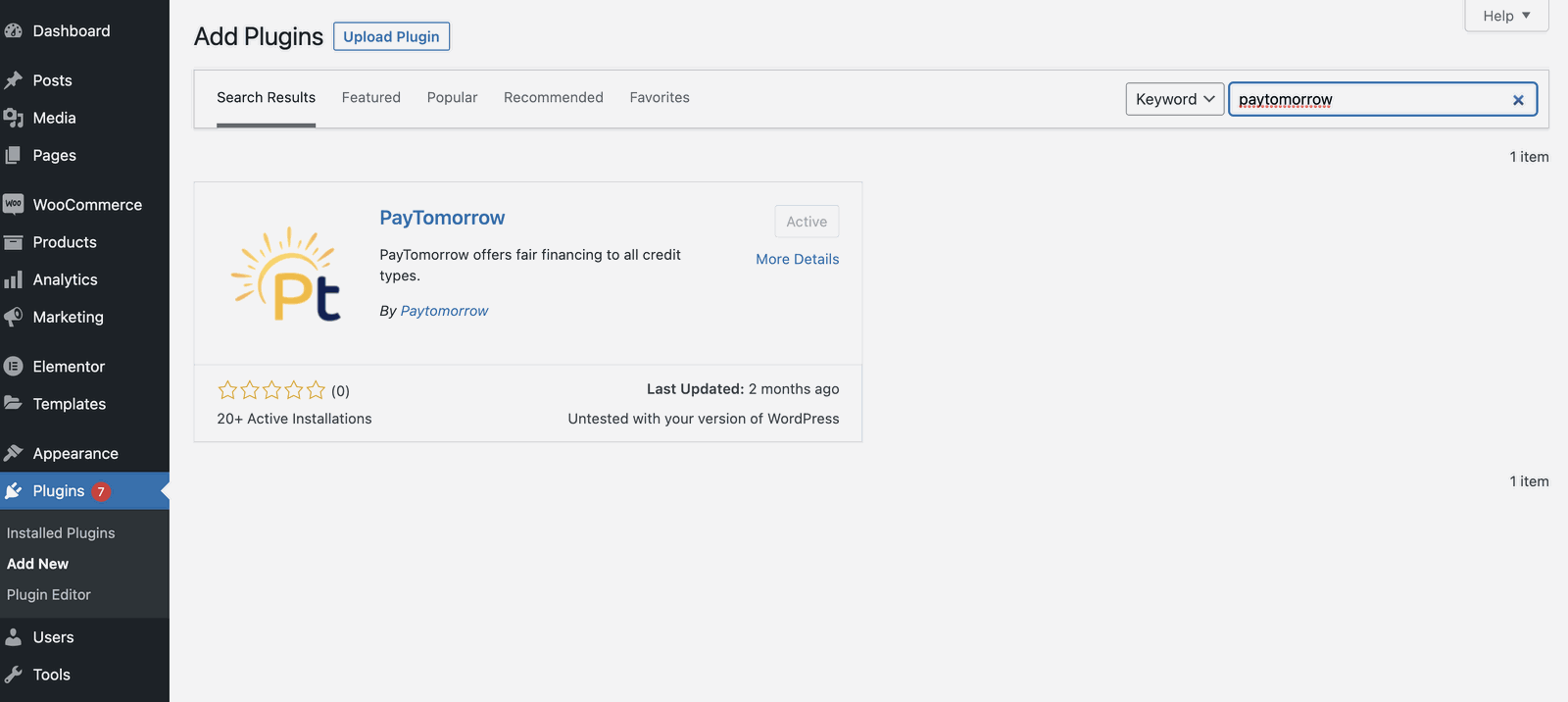
In WordPress admin, go to Plugins → Add New, search for PayTomorrow, then install and activate it. You can also download it from wordpress.org/plugins/paytomorrow.
Configure it
Go to WooCommerce → Settings → Payments → PayTomorrow → Manage and enter your API credentials from Resources in the merchant dashboard.
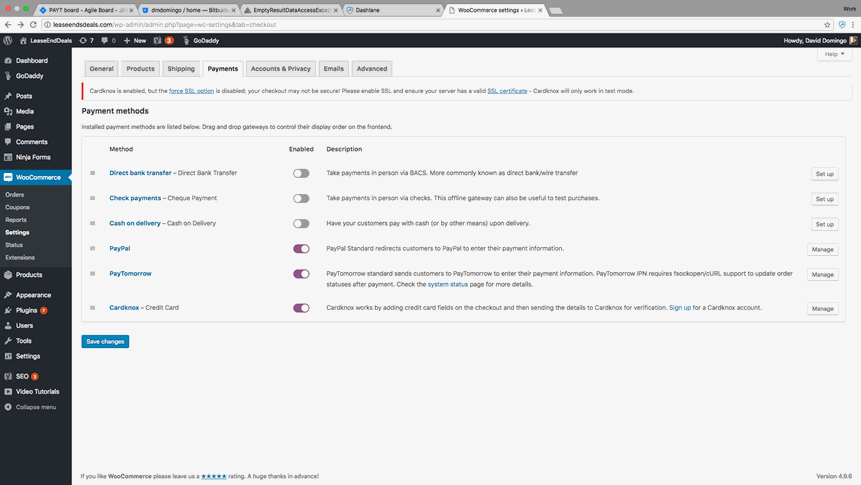
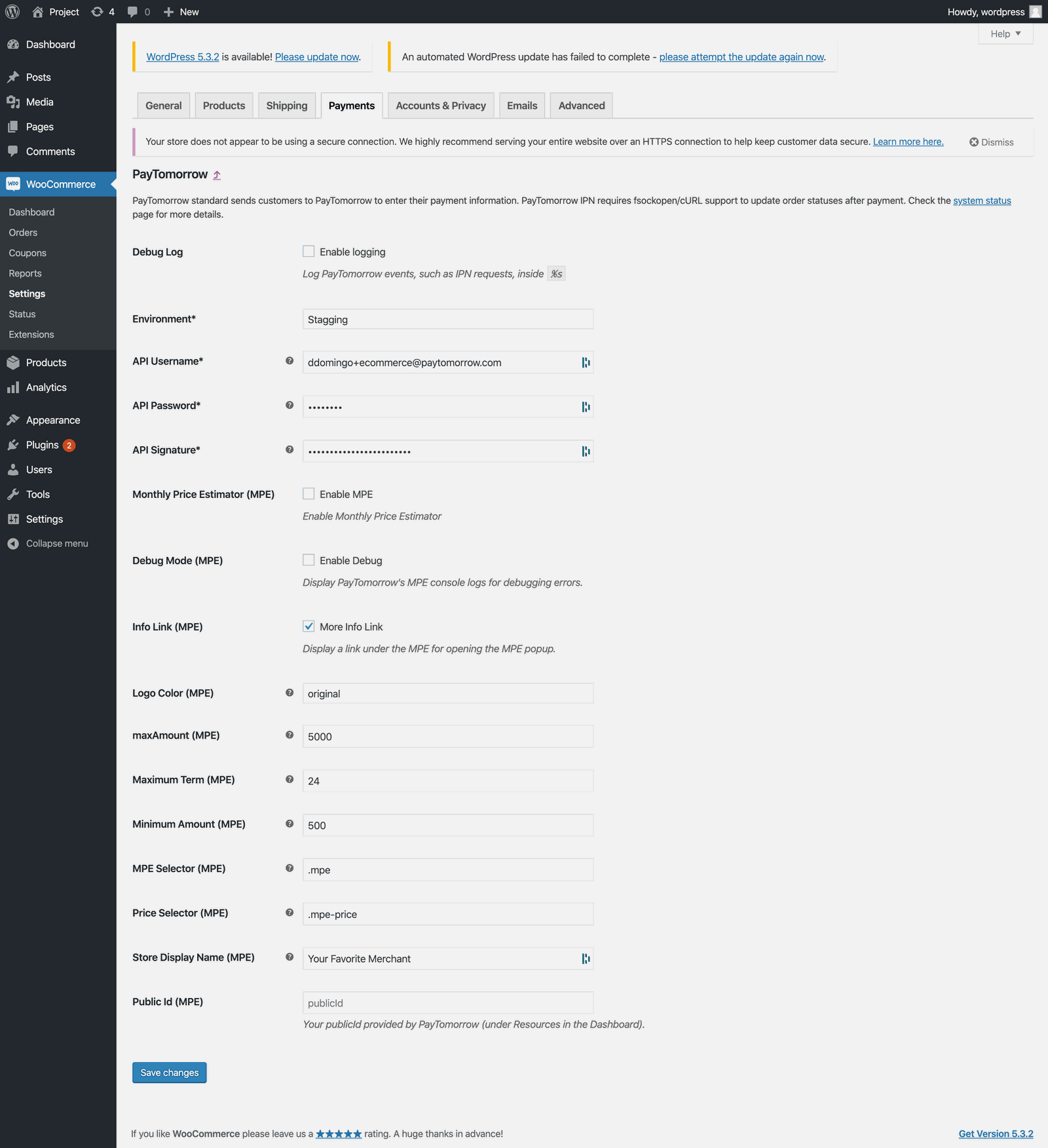
Screenshots may differ slightly from your version of the plugin.
Add marketing tools
Show monthly payments on product pages with the Monthly Payment Estimator, and add a financing page to your site.