BigCommerce
Install the PayTomorrow app from the BigCommerce marketplace.
Before you install
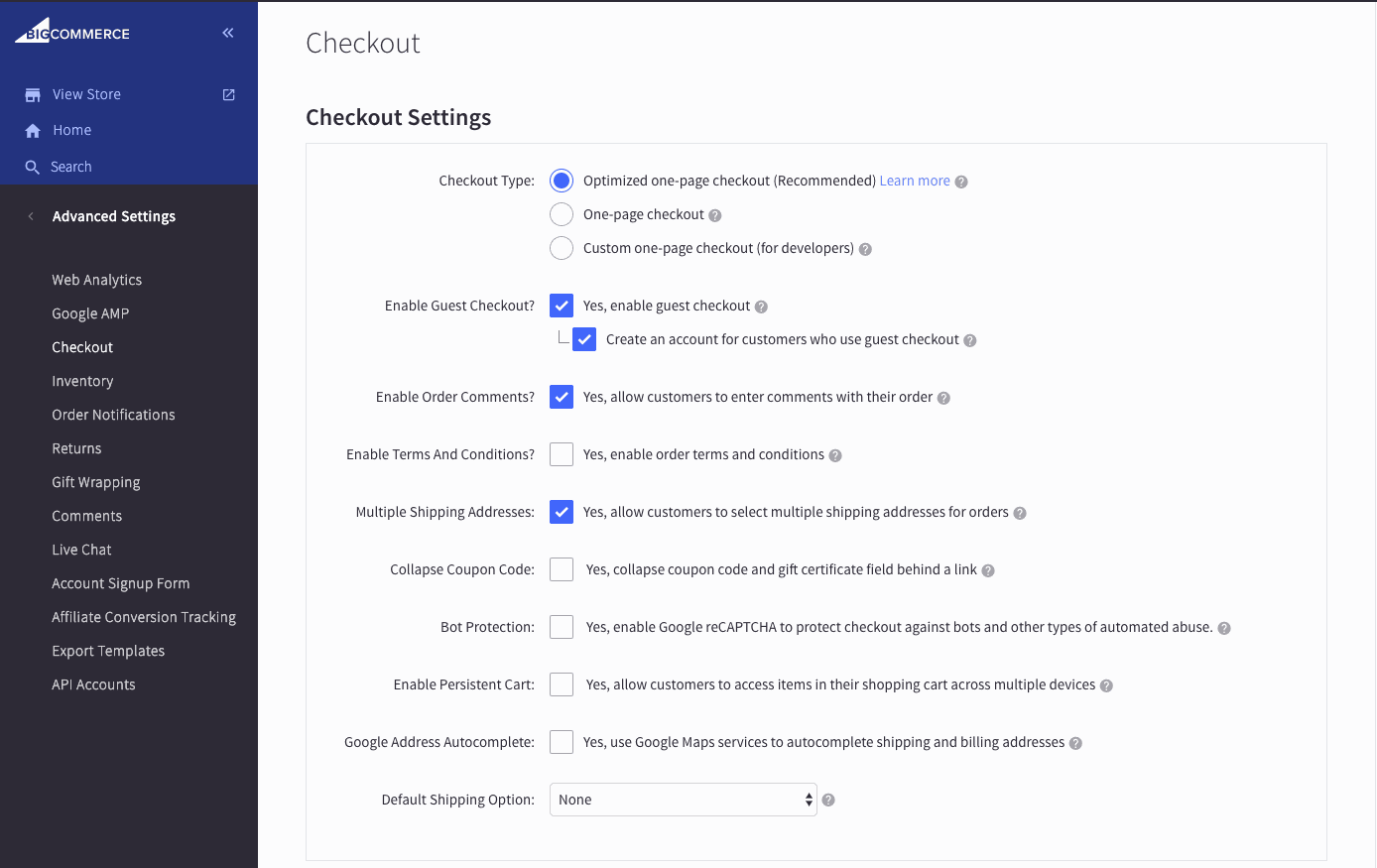
PayTomorrow requires the Optimized one-page checkout. Go to Advanced Settings → Checkout. If you see a Checkout Type field, set it to Optimized one-page checkout. If you don't see the field, you're already using it.
Set up a payment method slot
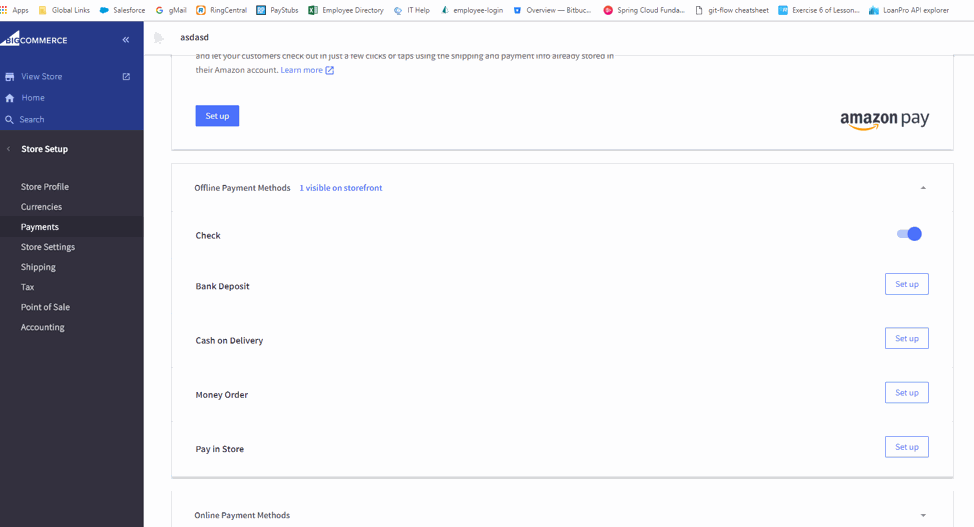
Go to Store Setup → Payments and pick an offline payment method you don't use, such as Check.
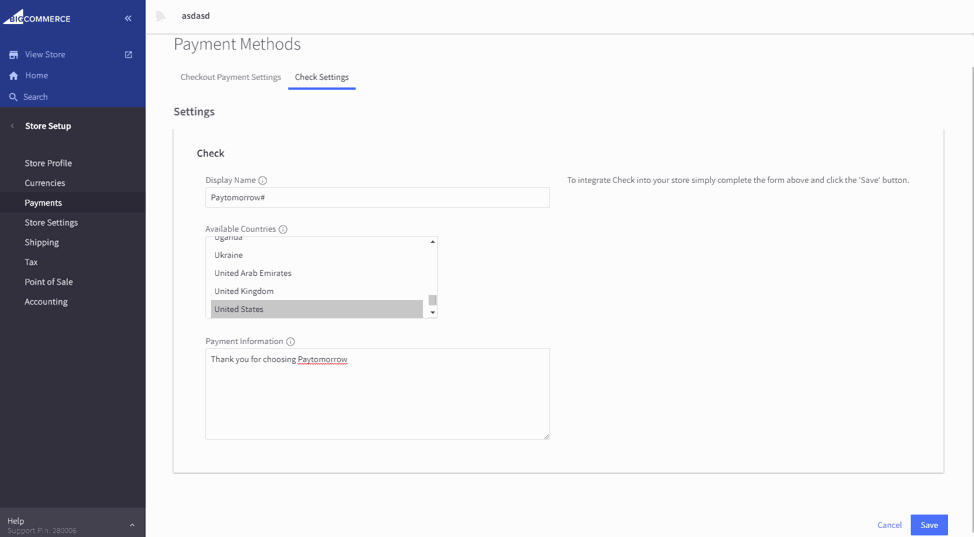
Click Set up, set the display name to Paytomorrow#, and set Available Countries to United States.
Install the app
Find PayTomorrow in the BigCommerce marketplace and install it.
Connect your account
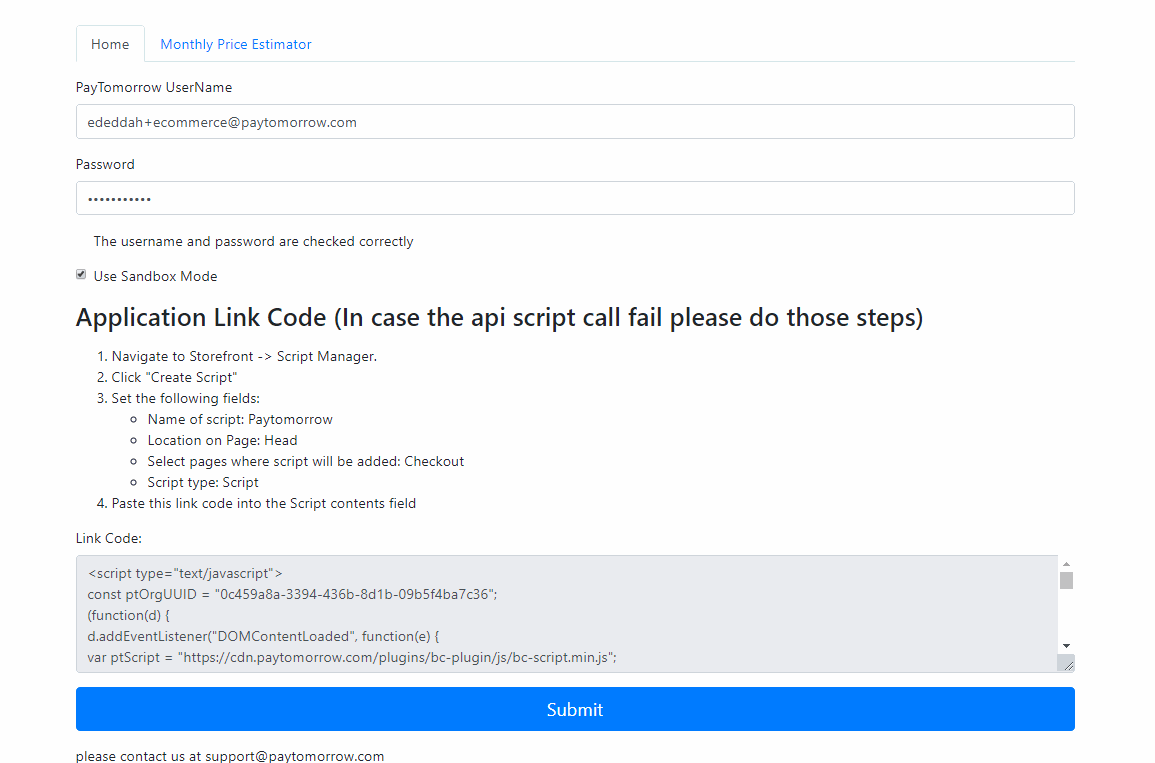
Enter your API username and API password. Check Use Sandbox if you're using staging credentials.
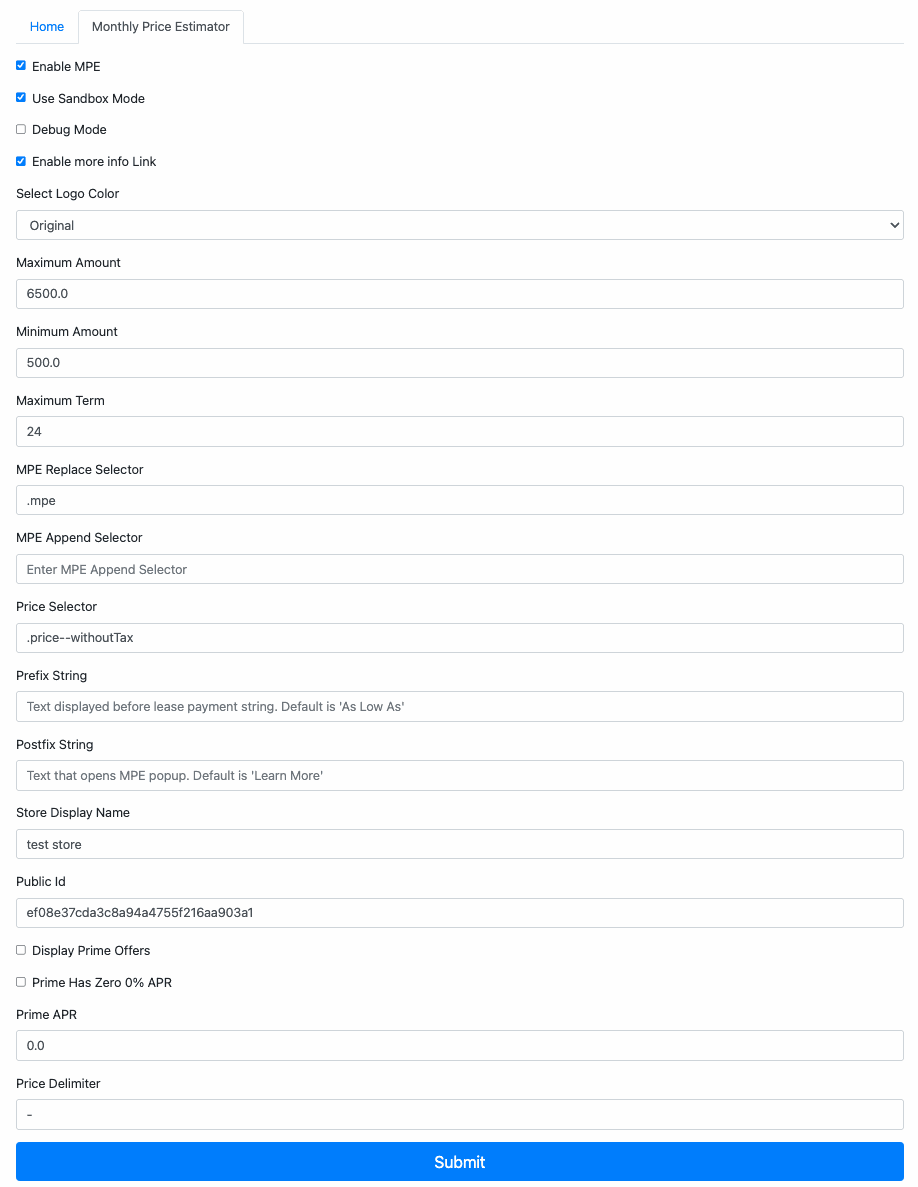
Add the Monthly Payment Estimator
Once your credentials are saved, the app shows the code and instructions for adding the Monthly Payment Estimator to your theme.