

Magento 2
Install the PayTomorrow module for Magento 2 with Composer or from a zip file.
Install
Run these from your Magento root directory:
composer require paytomorrow/paytomorrow
bin/magento setup:upgrade
bin/magento setup:di:compile
bin/magento cache:clean
bin/magento cache:flush
Check that the module is enabled:
bin/magento module:status Paytomorrow_PaytomorrowIf Composer asks for credentials, use the access keys from your Adobe Marketplace account under My Profile → Access Keys. The public key is the username and the private key is the password. If Composer can't find the package, add those keys to Composer's auth.json.
Configure
- In Magento admin, go to Stores → Configuration → Sales → Payment Methods.
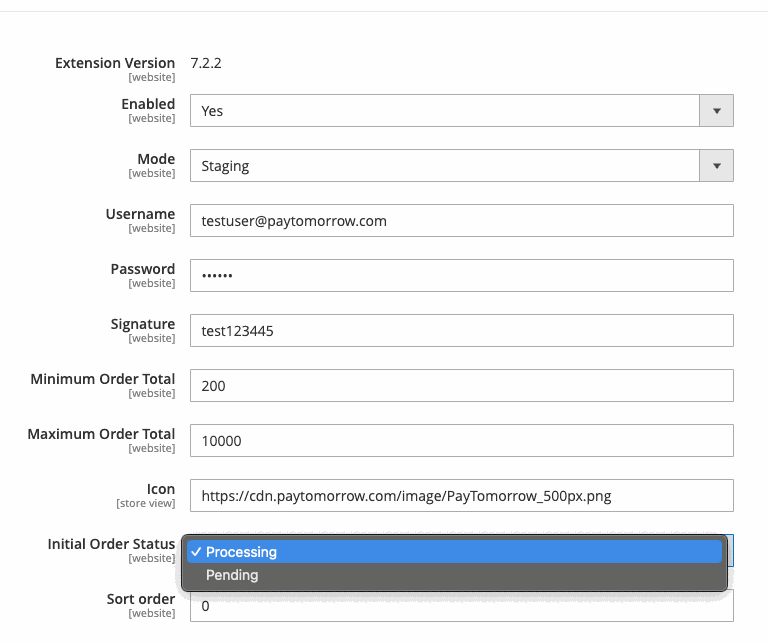
- Under PayTomorrow, set Enabled to Yes.
- Enter your Merchant ID, API username, API password, and API Signature from Resources in the merchant dashboard.
- In the merchant dashboard, set your postback URL to
https://YOUR_DOMAIN/paytomorrow/paytomorrow/notification.
Order status after checkout
Choose which Magento order status is set when a customer completes financing.
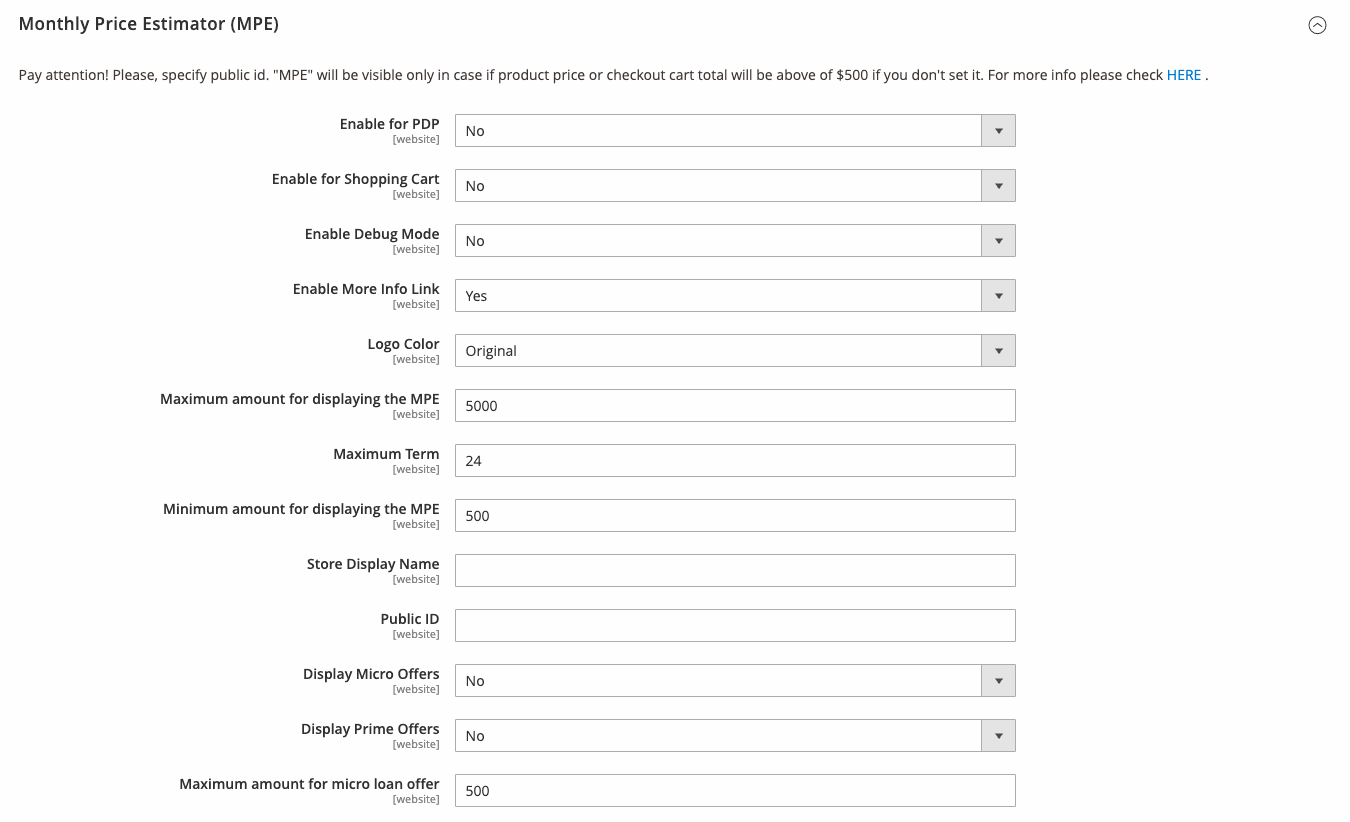
Monthly Payment Estimator
Configure it under Stores → Configuration → Sales → Paytomorrow MPE. See Monthly Payment Estimator for what each option does.
Go live
- Go to Stores → Configuration → Sales → Payment Methods → PayTomorrow.
- Enter your production credentials and URL.
- Switch Platform from staging to production.
After switching, stop using test customer data. Every application goes to production.